The menu is your best sales tool. Make it more appealing.
eresto digiMenu turns the first thing every guest sees into a tool that actually sells — session & season menus, 15 themes, live pricing, ordering, and built-in feedback, all from one QR code.
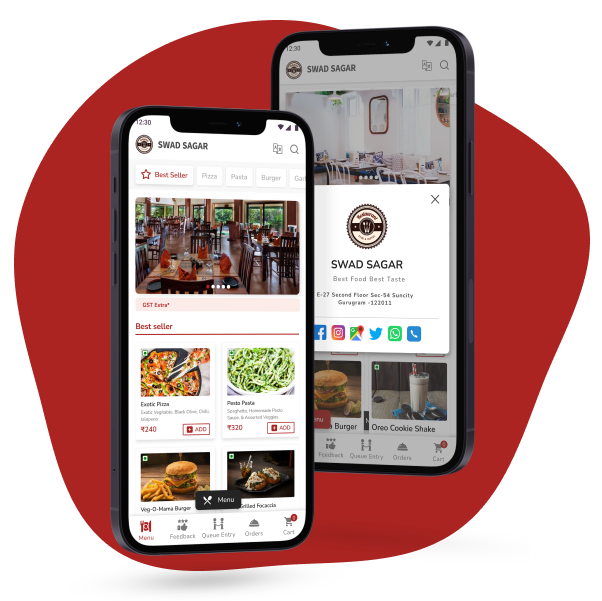
The right menu, at the right time, sells more.
What sells at lunch isn't what sells at dinner — and what works in summer falls flat in winter. Even the order of dishes matters: what you show first, how you group it, which specials sit up top. Get that right for every session and season and you sell more and run tighter — revenue hiding on a page most restaurants set once and forget.
eresto digiMenu captures exactly that: session- and season-wise menu templates, a different theme for each, and multiple price lists across seasons and sessions — no printer involved. Add splash screens, offers, slider screens, social links and location, and enable or disable any item in a tap, so the menu always shows what's actually available and your staff never has to say "sorry, not available" again.
Plan a menu for every session and season.
Three capabilities work together so you can build a dedicated menu template for each session and season — each with its own look and its own pricing.
Session & Season Menus
Build separate menus — and separate item ordering — for breakfast, lunch and dinner, and swap the whole line-up by season. Guests always see the right dishes, arranged to sell.
15 Menu Themes
Give each menu its own personality — a calm, elegant look for lunch and something vibrant for dinner. 15 ready-made themes, customisable to your colours, fonts and brand.
Multiple Price Lists
Run different pricing for different sessions and seasons — happy-hour rates, festive pricing, seasonal specials — all switched on schedule, with no reprints, ever.
Together: one template per session/season → its own theme → its own pricing.
Ordering, your way.
You decide how guests order. Turn on customer ordering and they punch orders right from the menu — or keep it browse-only and let them build a wishlist to hand your captain.
- Ordering on order lands on WhatsApp (third-party POS) or eresto Edge (our POS)
- Ordering off guests build a wishlist to show the captain
- Items, quantities, table number and notes captured automatically
Enable, disable, add or remove — instantly.
Sold out tonight? New special this evening? Toggle any dish or whole category on or off and the live menu updates at once — no reprints, no version mix-ups.
- One tap to hide a sold-out item from every guest
- Add or edit dishes and prices any time
- Your staff never has to say "sorry, not available"
Splash & offer screens that greet every scan.
Show a branded welcome screen and today's offer the moment a guest scans — before the menu even loads. Put your promotion where no one can miss it.
- Branded splash with your logo and look
- Highlight the day's offer, new range or event up front
- Switch it whenever the promotion changes
this weekend
Slider images that keep the menu alive.
Rotating banners inside the menu for festival specials, new launches and combos — eye-catching visuals that push exactly the dishes you want guests to notice.
- Showcase seasonal and festival specials
- Promote new dishes and high-margin combos
- Refresh the look without changing the menu
Bilingual Menu
Show every item in a second language of your choice beside English — you type each name yourself, so regional spellings read exactly right. No machine translation.
Rich Dish Display
Every dish with a photo, description and details, plus instant search across the full menu — guests see exactly what they're ordering and find it fast.
Social Links & Location
Instagram, Facebook and WhatsApp links plus Google Maps, hours and contact — built into the menu so guests can follow, find and reach you.
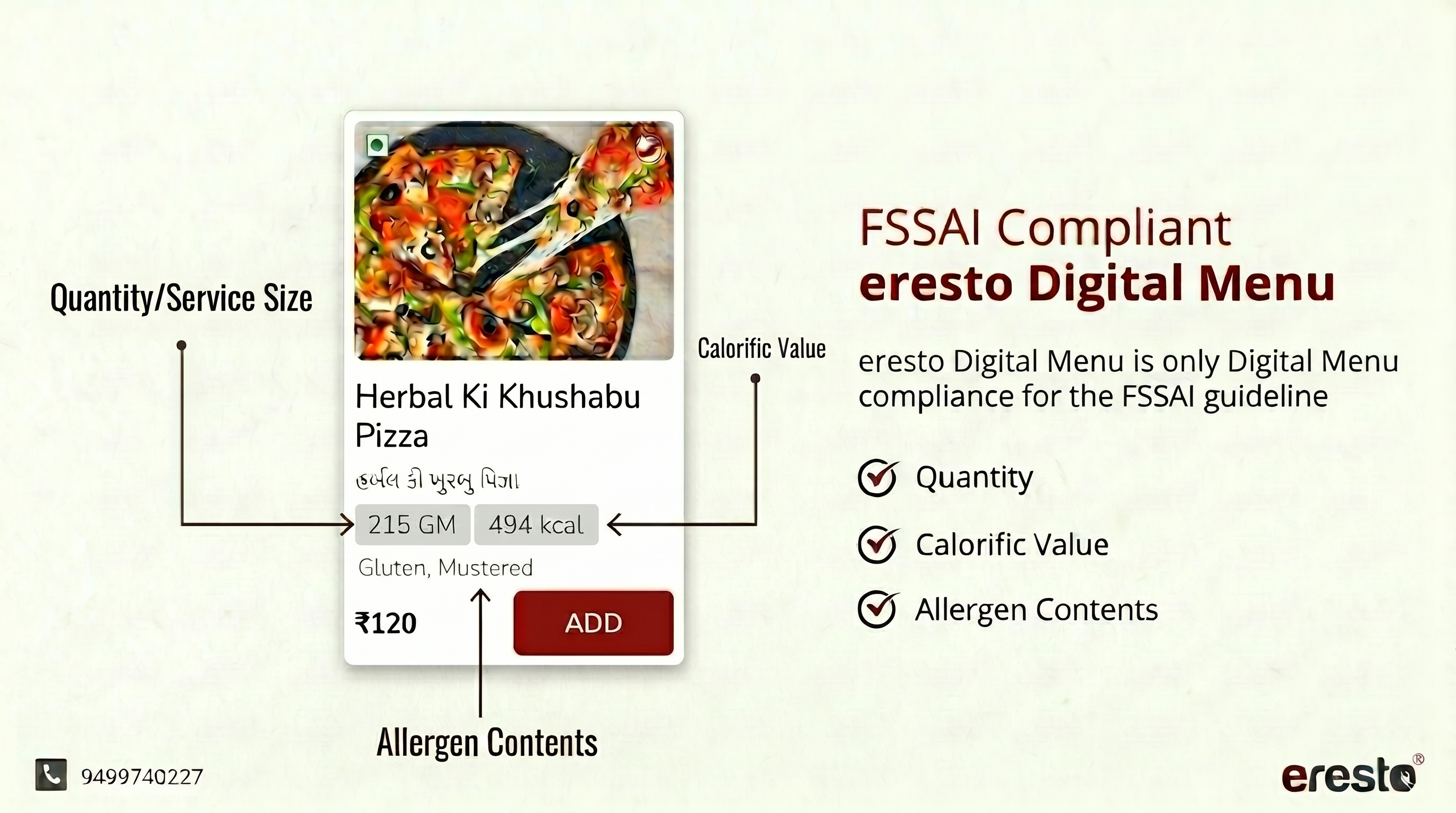
India's only fully FSSAI-compliant digital menu.
eresto digiMenu is the only digital menu in India built ground-up around FSSAI guidelines — not patched on, not optional. Every dish, every category, every theme displays compliance data by default.
- Quantity Serving size in grams (e.g. 215 GM) shown clearly on every dish card
- Calorific Value kcal per portion (e.g. 494 kcal) visible inline — no hidden tabs or extra taps
- Allergen Contents Gluten, Dairy, Nuts, Mustard, Soy and more — labeled per dish for guest safety
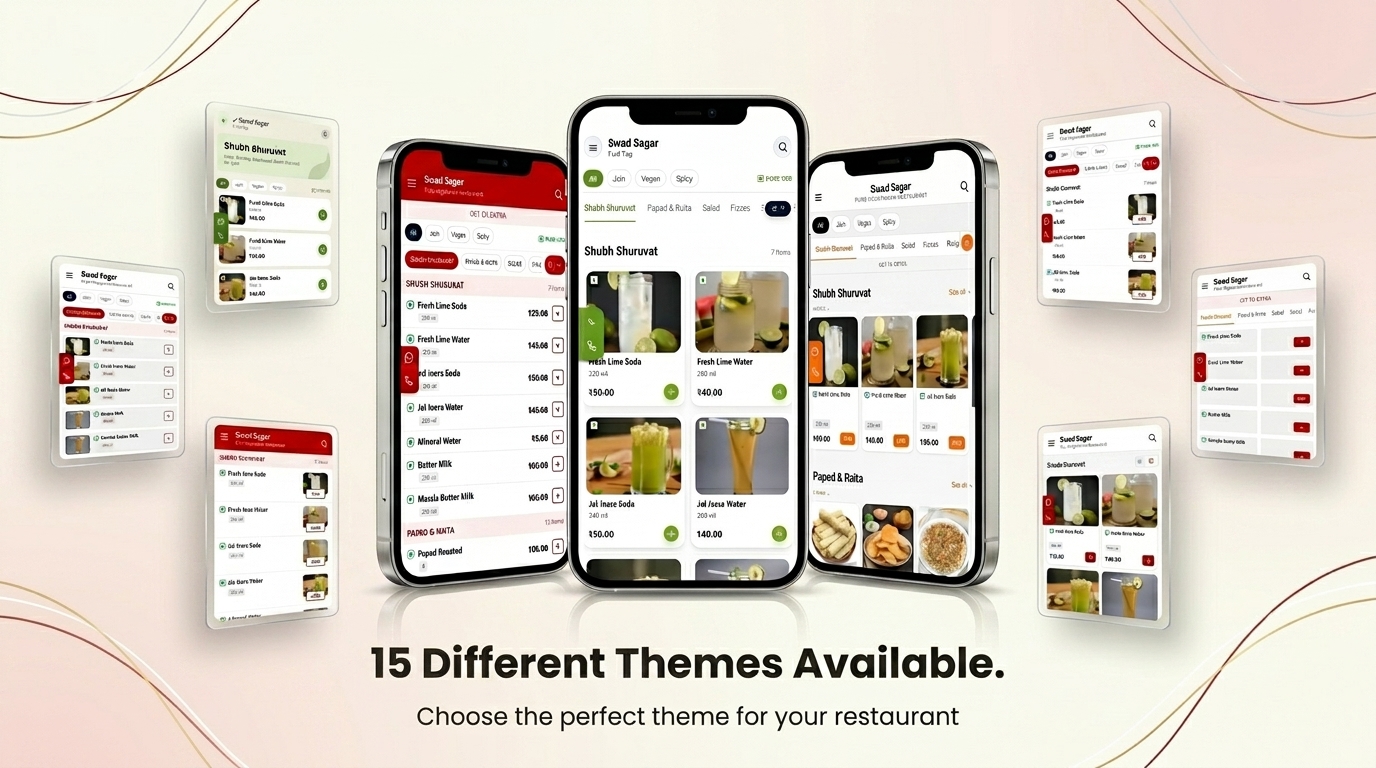
Choose the perfect look for your restaurant.
Fifteen ready-made themes designed by restaurant brand experts — from minimal fine-dine to vibrant QSR to cozy cafe. Each theme is fully customizable to match your colors, fonts, and brand voice.
Turn every meal into feedback you can act on.
Built into the menu — guests rate you before they leave. You choose how feedback flows, with three modes per outlet.
Private dashboard
Every rating and comment lands in your eresto dashboard only — a private pulse on what guests really think, outlet by outlet.
Straight to reviews
Send every guest to the review page you choose — Google, TripAdvisor or Zomato — to build your public rating fast.
Based on rating
Set a switch condition: above it, guests are invited to post a public review; below it, they leave a private comment you see first.
Happy guest → public review
Guests above your threshold are taken to the review link you set in settings, so your best experiences become public ratings.
↓Critical guest → private comment
Guests at or below your threshold get a comment box instead — rating and comment save privately so you can fix it before it ever goes public.
↓One price. Every feature included.
No tiers, no add-ons, no per-theme charges. Everything on this page is in the plan.
- ✓ Session & season menus
- ✓ All 15 menu themes
- ✓ Multiple price lists
- ✓ Ordering (WhatsApp / eresto Edge)
- ✓ Splash & offer screens
- ✓ Slider images
- ✓ Enable / disable items live
- ✓ FSSAI dietary tags
- ✓ Bilingual menu
- ✓ Feedback & reviews (all 3 modes)
Questions, answered.
How long does it take to set up?
Do I need any hardware or an app?
Can guests order, or is it just a menu?
Is it really FSSAI compliant?
Can I edit the menu and prices myself?
What languages does the menu support?
Does the feedback feature affect my Google rating?
How is this different from a PDF or image menu?
Is digiMenu included in eresto One?
What does it cost?
Give your menu its best shot.
The right dishes, at the right time, priced right — working to sell while you run the floor. See eresto digiMenu on your own menu.